Database export #
Database export is available in Settings. The user saves a ZIP package of the selected database to Google Drive and gets a private download link that remains available for 24 hours. ENTOMONE also supports exporting single, selected or filtered records to a file on Google Drive.
What the export contains #
Full database export creates a ZIP package for the selected dataset/database. The package contains records, metadata and media references. It does not copy the entire private Google Drive into ENTOMONE; it prepares an ordered data package from ENTOMONE.
The ZIP is saved to the signed-in user's Google Drive. After the operation is complete, the user can open the file on Google Drive or download it locally with Download ZIP. The private local download link is temporary and remains available for 24 hours.
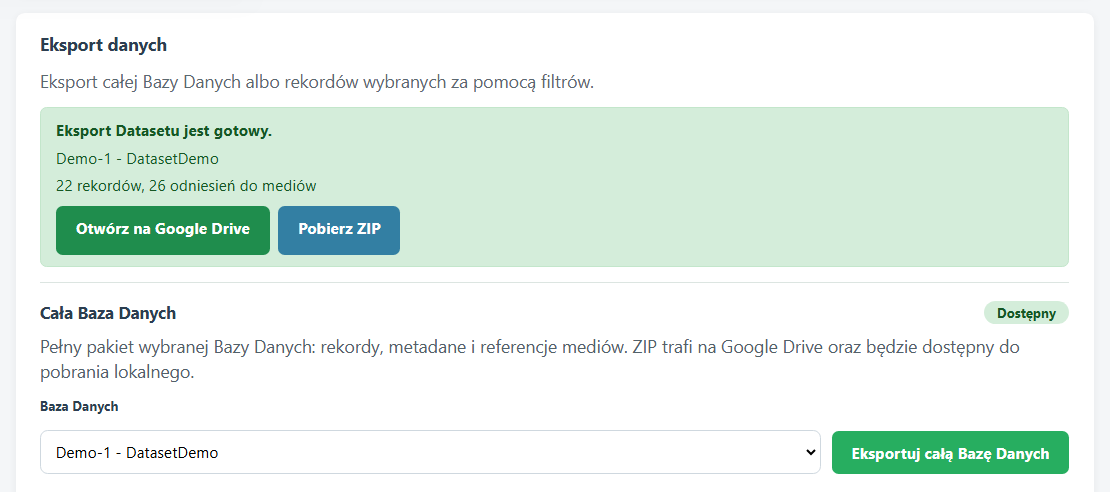
How to export a database #
- Open Settings and go to data export.
- In Whole Database, select the database from the list.
- Click Export whole Database.
- Wait for the green message confirming that the export is ready.
- Open the file on Google Drive or download the ZIP locally.
Whole database export and record export #
Whole database export prepares a package for the selected database: records, metadata and media references.
Record export works differently. It can export single, selected or currently filtered records and saves the resulting file to Google Drive.
Dataset wording in exports #
Some messages or CSV files may still use the technical name Dataset. In the user interface and Help, this is the same working database layer.